
Stage-wise production with in-process QA and minimum-yield gates
From stage definitions and versioned BOMs to MRP, manufacturing orders, in-process QA and FG release: how a pharma batch moves through the plant.
- Author
- ParaTech Product Team
- Published
- Reading time
- 4 min read
A tablet batch does not go from raw material to finished goods in one step. It is dispensed, granulated, dried, blended, compressed, coated and packed, and at several of those points QA has to look at it before it can move on. A production system that only records "batch started" and "batch finished" misses everything that matters in between.
ParaTech Pharma ERP runs production in stages, with QA between them. This article walks through the path from stage definition to finished-goods store.
The production path
The full sequence looks like this:
- Stage Definition
- Product Profiler (BOM version)
- MRP plan
- Manufacturing Order and Packing Orders
- Material request and material issue
- Stage processing
- In-process QA
- Packing processing
- Finished Goods receiving and FG QA
- FG store and production voucher
1. Stage definitions per dosage form
Different dosage forms follow different routes. A syrup is not made like a tablet, and an injection is different again. Stage Definition sets up a route per material type, with separate manufacturing (MO) and packing stages. For each stage you define:
- Whether the stage needs QC release before the next stage can start
- A minimum yield %
- Machine hours, manpower and labour hours
Stages can be loaded in bulk from Excel.
2. Versioned BOMs: the product profiler
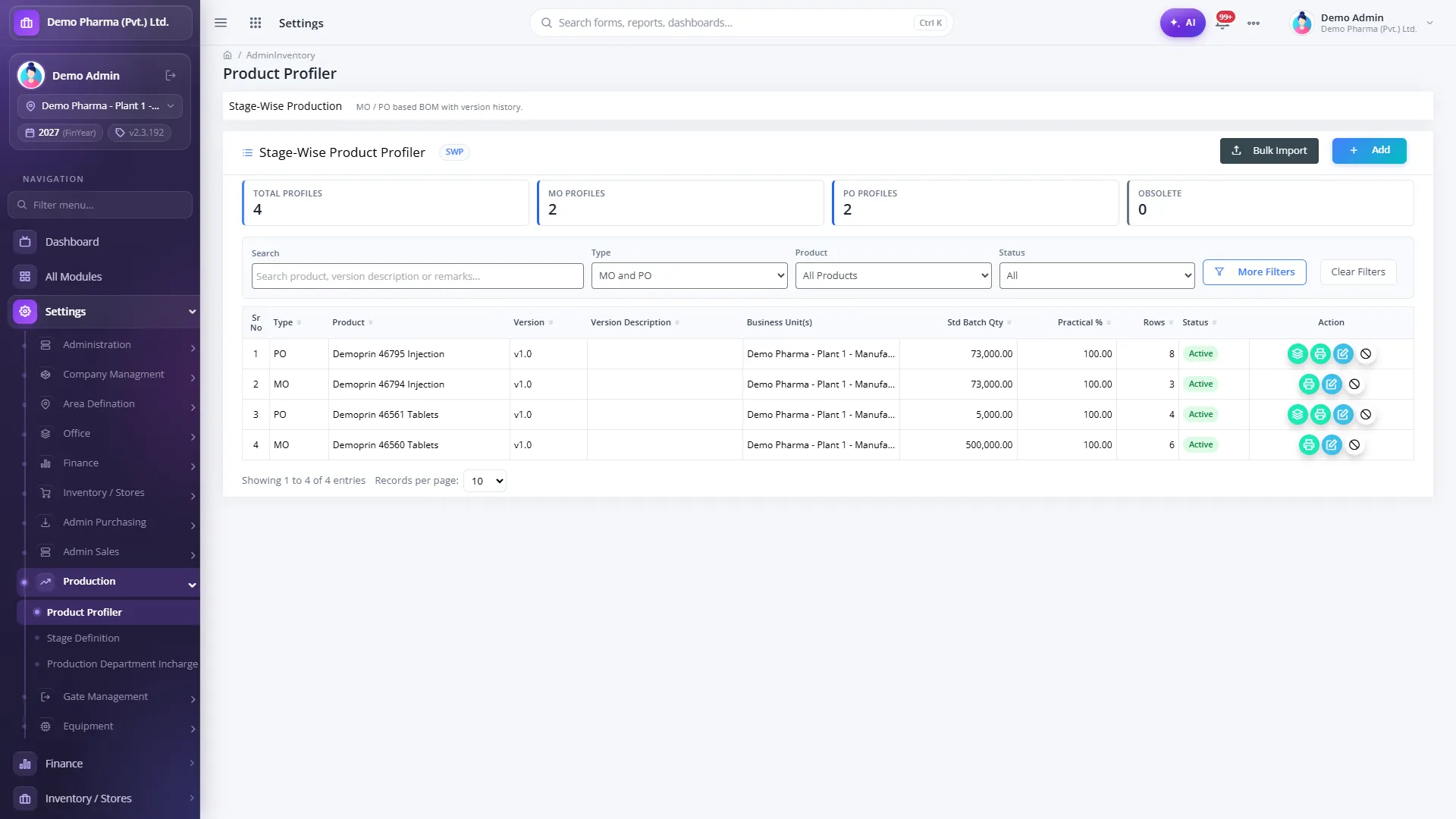
The Stage-Wise Product Profiler holds the bill of materials in two tiers: a bulk (manufacturing) version and a packing version. Several versions can be active at once, which matters when a product has more than one approved batch size or packing presentation. The version is chosen on the manufacturing order and then locked, so the order is always made against the formula it was planned with. Versions are mapped to the business units that use them, and each has an A4 preview.
3. Material Resource Planning
Before a batch is due, planning needs to know what to buy. MRP plans by finished product and calculates the net requirement, taking into account:
- Stock in hand
- Open manufacturing and purchase orders
- Demand
- Stock still pending QC
Purchase demands can be raised straight from the production plan, so the shortfall goes to purchasing without being retyped.
4. Manufacturing and packing orders
Each manufacturing order carries its batch and its BOM version. Packing orders sit under the batch, with pack-to-unit conversion. Material requisitions are generated from the BOM version on the order, so stores issue exactly what the formula needs, with FEFO and assay adjustment applied at issue.
5. Stage processing on the floor
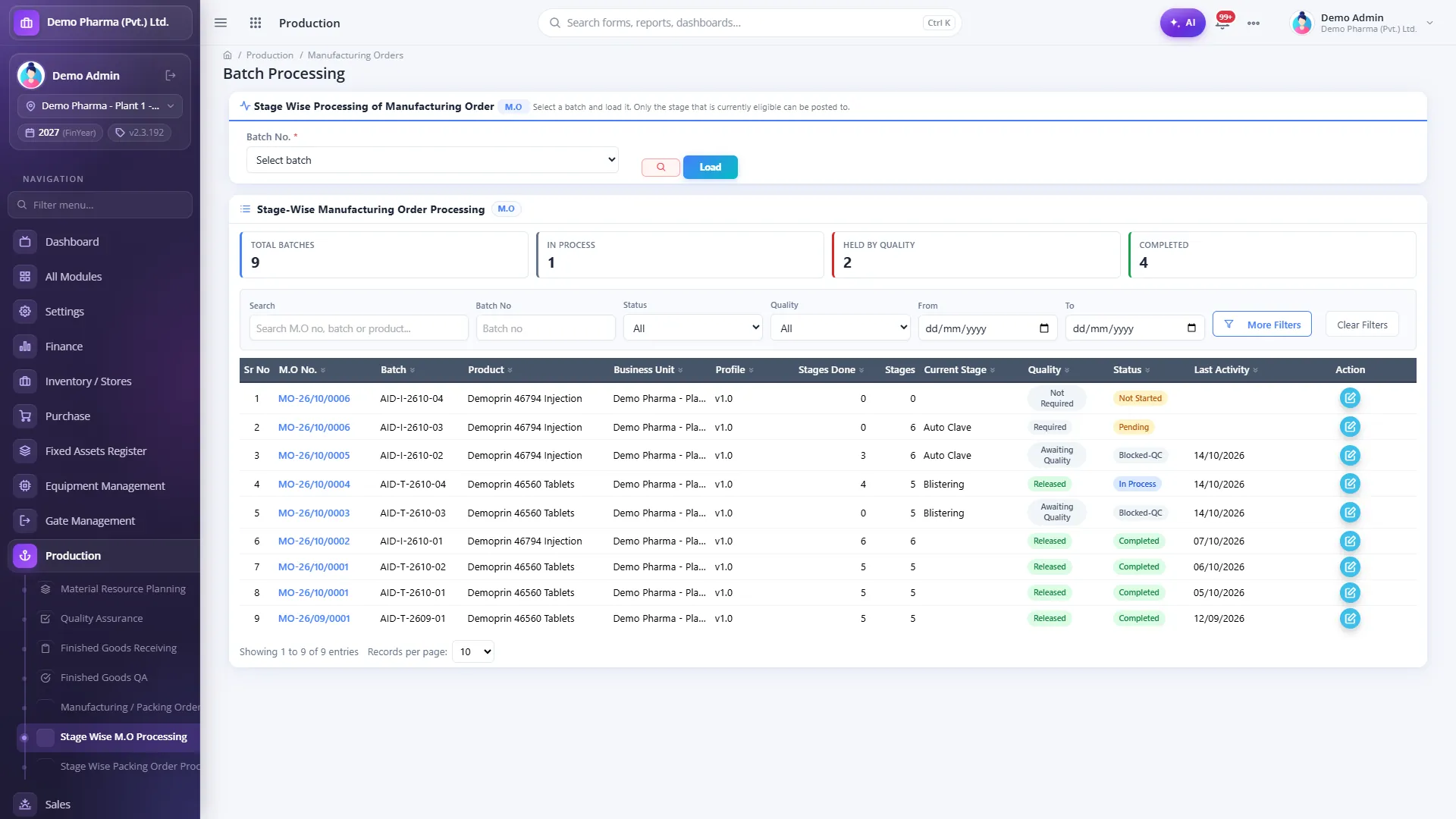
As the batch moves through its route, each stage is processed with:
- Partial quantities: a stage can be completed and released in parts.
- Automatic yield %, calculated from input and output.
- A minimum-yield gate: the stage's yield is checked against its minimum before it can move on.
- Machine hours, manpower and labour hours captured per stage.
6. In-process QA between stages
Where a stage is marked as QC-required, it waits in the In-Process QA worklist. QA can release or reject per batch, including partial quantities. Two rules are enforced by the system:
- The next stage is blocked until the stage is released.
- The producer cannot release their own stage. Release is a separate person's decision.
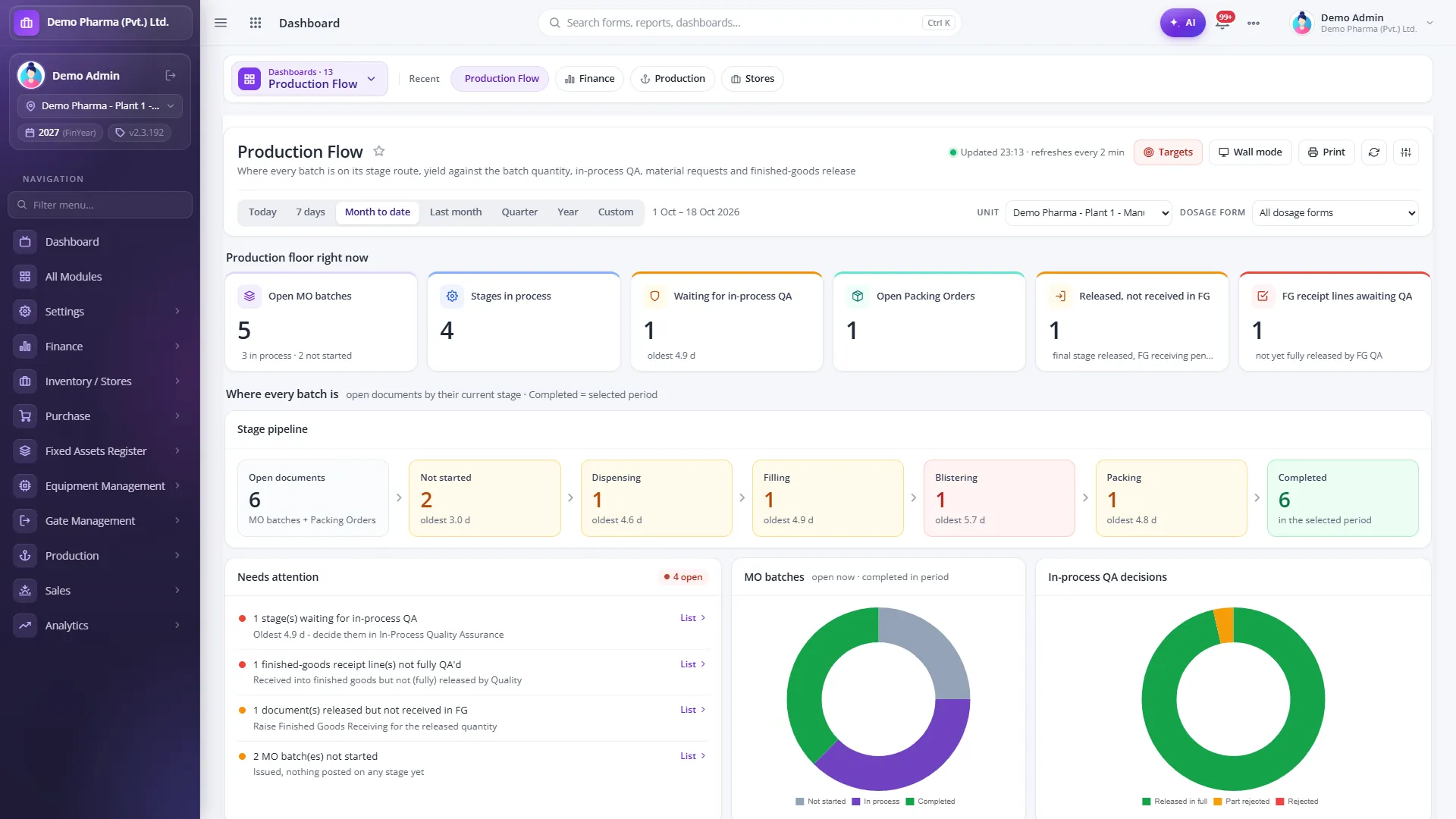
The Production Flow dashboard shows how many batches are at each stage, what is waiting for in-process QA and for how long, and a "needs attention" list of stuck batches and overdue stages.
7. Finished goods QA and release
When packing is complete, finished goods are received and go to FG QA. QA approves or rejects quantity per batch, with partial releases allowed. Release posts the stock into the finished-goods store and creates the production voucher, so finance sees the batch at the same moment sales can dispatch it. Delivery challans then allocate only released stock, earliest expiry first.
Setting up production well
Stage-wise production asks for more setup than a single-step production order, and the setup is where most of the value comes from:
- Agree routes with production and QA together. The stage list per dosage form, and which stages need QC release, should match how the plant actually works and what QA actually checks.
- Set realistic minimum yields. Too low and the gate never triggers; too high and every batch is held. Start from historical batch records.
- Keep BOM versions disciplined. A new formula or batch size should be a new version, not an edit to the one already on open orders.
- Record hours from the start. Machine, manpower and labour hours captured per stage build up the data you will want when reviewing productivity later.
Reports production teams use
- Material Resource Planning (MRP) Report
- Product Wise Material Planning
- Batch Wise Production and Batch Completion
- Product Yield: theoretical against actual
- Batch Wise Stock Consumption
- Product Cost Sheet: estimated material cost from the BOM
A checklist for evaluating production software
- Can you define different stage routes for tablets, syrups and injections?
- Is the BOM version locked on the order once production starts?
- Does the system stop the next stage until QA releases the current one?
- Can the person who processed a stage also release it? (They should not be able to.)
- Is yield calculated automatically and checked against a minimum?
- Does FG release post stock and the accounting entry in one step?
Explore the Production module and Quality Control & QA, or request a demo built around one of your own products.
- Production
- In-process QA
- BOM
- MRP
- Yield